AI·Agents·Platform Engineering
Building AI Agents: The Fundamentals
Twelve rules for building AI agents that actually work. What agents are, how the agentic loop works, and the mental models that matter.
By Craig Tracey ·
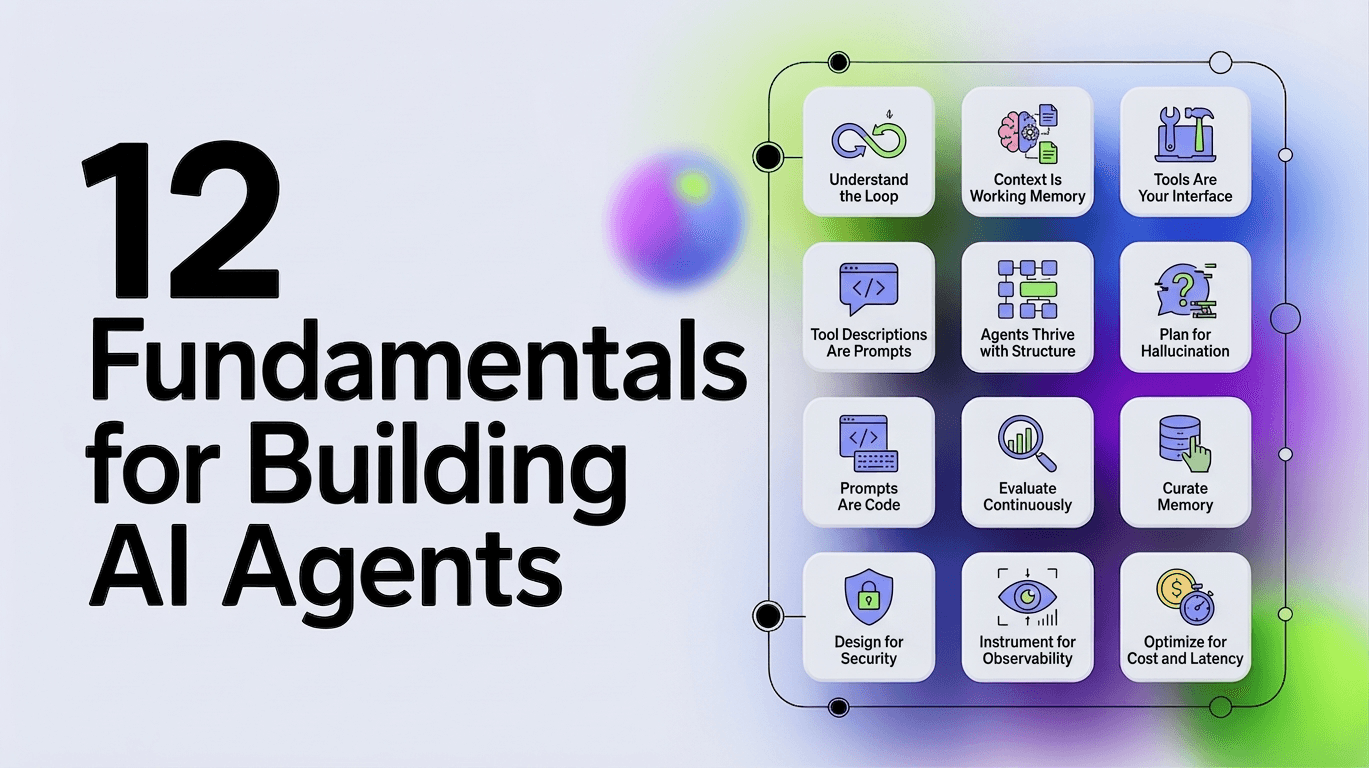
Everyone's building agents. Most are building them wrong. Not because they lack skill, but because they lack the right mental models. Before you write a line of code, you need to understand what agents actually are and how they differ from everything else you've built.
Most of these rules are really about one thing: the AI harness, the scaffolding around the model that determines what your agent can actually do. Here are twelve rules that will save you from the mistakes we made.
1. Understand the Loop
An agent is not a chatbot with tools. It's not RAG with extra steps. It's a system that perceives, reasons, and acts in a loop until a goal is achieved.
| Flow | Outcome | |
|---|---|---|
| Chatbot | Question → Response | Single answer |
| RAG | Question → Retrieve → Response | Answer with context |
| Agent | Goal → Reason → Act → Observe → Repeat | Task accomplished |
The difference is autonomy. A chatbot answers. An agent accomplishes.
Years ago, our first "agent" was basically a chatbot with a for-loop. It would answer, we'd manually feed the answer back in, repeat. It took us three weeks to realize we'd reinvented the agentic loop badly.
This loop has a name: the agentic loop. Every agent framework implements some version of it:
while not done:
    observation = perceive(environment)
    thought = reason(observation, goal, memory)
    action = decide(thought, available_tools)
    result = execute(action)
    memory = update(memory, result)
    done = evaluate(result, goal)
The LLM is the reasoning engine. Everything else (tools, memory, evaluation) is scaffolding you build around it.
Here's what most tutorials miss: agents can spawn other agents. A complex task decomposes into subtasks, each with its own loop. The outer agent orchestrates while inner agents execute. This is how you build systems that tackle problems too large for a single context window. The orchestrator maintains high-level state while delegating details to specialists that run, complete, and return results.
Common orchestration patterns:
- Hierarchical: A supervisor routes tasks to specialized sub-agents
- Sequential: Agents hand off to each other in a pipeline
- Parallel: Multiple agents work simultaneously, results are merged
- Hub-and-spoke: A central coordinator fans out and collects results
The key insight: inner agents should be narrow and specialized. The orchestrator handles routing and state. Poor orchestration causes cascading failures (especially in hierarchical setups where routing decisions compound errors downstream). One confused sub-agent can poison the entire task.
2. Context Is Working Memory
LLMs have a context window. Most modern models offer 1M+ tokens. Sounds like a lot. It isn't.
Every turn of the agentic loop adds to context:
- The user's original goal
- Every tool call and its result
- Every reasoning step
- Every error and retry
A complex task might take 20 tool calls. Each tool result might be 500 tokens. That's 10K tokens just in tool results. Add system prompts, conversation history, and reasoning traces and you're at 50K tokens before you've done anything interesting.
Context is not free storage. It's working memory. The more you stuff in, the worse the LLM reasons. Studies show performance degrades well before you hit the limit due to the "lost in the middle" effect, where models increasingly ignore information in the middle of long contexts. Even 1M+ token windows don't solve this. Bigger windows don't fix reasoning quality without better context engineering.
This means:
- Summarize tool results aggressively
- Don't keep full history, keep relevant history
- Design tools that return focused data, not everything
- Use external stores (vector databases, knowledge graphs) for long-term facts
- Consider summarization chains for very long tasks
The best agents use the least context to accomplish the goal.
3. Tools Are Your Interface
An LLM can only think. It can't do. Tools bridge that gap.
A tool is a function the LLM can call. It has:
- A name the LLM uses to invoke it
- A description that tells the LLM when to use it
- A schema that defines what parameters it accepts
- An implementation that actually does the work
{
  "name": "search_services",
  "description": "Search for services by name, owner, or tag. Use this when you need to find services matching certain criteria.",
  "parameters": {
    "type": "object",
    "properties": {
      "query": {
        "type": "string",
        "description": "Search term to match against service names and descriptions"
      },
      "owner": {
        "type": "string",
        "description": "Filter by team that owns the service"
      }
    },
    "required": ["query"]
  }
}
Tools are how you expose capabilities to the agent. Get them wrong, and the agent can't do its job no matter how good the model is. Get them right, and even a weaker model can accomplish complex tasks.
The temptation is to give agents every tool they might need. Access to GitHub? Add the GitHub tools. AWS? Load those too. Slack, Jira, databases... pile them on. This is a mistake. Every tool is a decision point. Every decision point is a chance for the LLM to choose wrong. We've seen noticeable degradation often starting around 10-25 tools, with severe hallucination issues at 100+. Not because the tools were bad, but because the model couldn't reason over that many options. Start minimal. Add tools only when you hit a wall.
Security matters from day one. Tools are capabilities, and capabilities can be abused. Start with minimal permissions (least-privilege). Use scoped tokens rather than broad API keys. Consider policy gates that require approval for high-risk actions. Standards like Model Context Protocol (MCP) are emerging to provide safer, standardized tool and data access.
4. Tool Descriptions Are Prompts
The description matters more than you think. The LLM decides which tool to use based on the description. A vague description leads to wrong tool choices. A precise description leads to correct ones.
Bad: "description": "Gets service information"
Good: "description": "Search for services by name, owner, or tag. Returns a list of matching services with their IDs, names, and basic metadata. Use this when you need to find services. Do not use this to get detailed information about a specific service you already know."
The description is a prompt. Write it like one.
5. Agents Thrive with Structure
LLMs generate text. Agents need structured data. Bridging this gap eliminates many common failures.
When an LLM calls a tool, it must output valid JSON matching the schema. When it reasons, you often want that reasoning in a parseable format. When it decides it's done, you need to know what it concluded.
Two approaches:
1. Constrained Decoding: Force the LLM to output valid JSON at the token level. OpenAI and Anthropic both support this. The LLM literally cannot generate invalid JSON because the sampling is constrained to valid tokens only.
2. Schema Validation with Retry: Let the LLM generate freely, validate the output, retry if invalid. Works but wastes tokens and time.
Use constrained decoding when available. It's not just more reliable, it's faster because you never retry.
Tool calls are already constrained by the API. But if you're parsing custom output (reasoning traces, final answers, intermediate state), enforce structure.
6. Plan for Hallucination
Hallucination isn't a bug you can fix. It's a property of how LLMs work. They predict likely tokens. Sometimes likely tokens are wrong.
In agent systems, hallucination shows up as:
- Invented tool names: The LLM calls a tool that doesn't exist
- Fabricated parameters: The LLM passes an ID it made up
- False confidence: The LLM claims to have done something it didn't
- Imagined results: The LLM describes tool output that didn't happen
We had a case where our prompt included an example UUID with the explicit instruction: "THIS IS AN EXAMPLE UUID. DO NOT USE THIS VALUE." The agent used it anyway. Repeatedly. Prompts don't override pattern matching.
You can't prompt your way out of this. You engineer around it.
Validate everything. Don't trust tool parameters. Check that IDs exist before using them. Don't trust completion claims. Verify the goal was actually achieved.
Fail gracefully. When hallucination happens (it will), the system should recover. Return clear errors. Allow retries. Log what happened.
Reduce opportunity. The fewer choices an LLM has, the less it hallucinates. Fewer tools. Shorter context. More specific prompts. Every reduction in complexity is a reduction in hallucination surface.
Add reflection. Have the agent critique its own outputs before acting. A self-check step catches many errors before they cause harm.
Escalate when stakes are high. For irreversible actions like deleting data, sending emails, or deploying code, require human confirmation. The agent proposes; the human approves.
Use verification agents. For critical tasks, a separate agent can validate outputs before execution. Two models are less likely to make the same mistake.
7. Prompts Are Code
The system prompt is the most important code you write. It's also the least tested.
A system prompt for an agent typically includes:
- Identity: Who the agent is and what it does
- Constraints: What it must never do
- Instructions: How it should approach tasks
- Tool guidance: When to use which tools
- Output format: How to structure responses
You are an infrastructure assistant that helps engineers understand and operate their systems.

CONSTRAINTS:
- Never modify production systems without explicit confirmation
- Never expose secrets, tokens, or credentials in responses
- If uncertain, ask for clarification rather than guessing

APPROACH:
- Start by understanding what the user is trying to accomplish
- Search for relevant context before taking action
- Explain what you're doing and why
- If a tool call fails, explain the error and suggest alternatives

TOOL USAGE:
- Use search_services to find services before operating on them
- Always use entity IDs from search results, never construct IDs yourself
- Use get_service_details only after you have a valid service ID from search
Treat this like code:
- Version control it alongside your tools and schemas
- Review changes with the same rigor as code review
- Test prompts in isolation before integrating into the full loop
- Run regression tests when you change anything
- Iterate based on failures
Prompt engineering isn't magic. It's specifying behavior in natural language. The same engineering rigor applies. A prompt change can break your agent just as easily as a code change.
8. Curate Memory
Chat history is a log of what was said. Memory is what the agent knows and can use.
These are different. Chat history grows linearly with conversation length. It includes irrelevant small talk, failed attempts, and superseded information. Memory should be curated to include only what's useful for future reasoning.
Agent memory typically has layers:
Working memory: The current context. What's happening now. Tool results from this task. Usually just the context window.
Episodic memory: What happened before. Previous tasks, their outcomes, what worked. Stored externally, retrieved when relevant.
Semantic memory: What's true about the world. Facts about the system, relationships between entities, organizational knowledge. This is your knowledge graph.
Most agents only implement working memory (the context window). That's fine for simple tasks. Complex agents need episodic memory to learn from experience and semantic memory to reason about relationships. In multi-agent setups, ensure the orchestrator maintains high-level state while delegating memory needs to specialists or shared stores.
9. Evaluate Continuously
You built an agent. Does it work? How would you know?
"It seems to work" is not evaluation. Agents are probabilistic. They might work 80% of the time. You need to know that number.
Evaluation requires:
- A test set: Real tasks with known correct outcomes
- A metric: How you measure success (task completion, accuracy, efficiency)
- A baseline: What you're comparing against
For simple agents, manual evaluation works. Run 50 tasks, count successes. But this doesn't scale, and humans are inconsistent.
LLM-as-judge is the emerging pattern: use an LLM to evaluate whether the agent accomplished the goal. This scales, but has biases. The judge tends to favor verbose responses and can miss subtle errors. Combine it with objective metrics: task completion rate, cost per task, latency, human override rate, and average steps-to-completion. In production, track cost-per-successful-task as your north-star metric.
Evaluate trajectories, not just final outputs. An agent might reach the right answer through a terrible path with 47 tool calls when 3 would do. The path matters for cost and reliability.
The critical insight: evaluation isn't something you do once. It's continuous. Every prompt change, every tool change, every model upgrade requires re-evaluation. Agents are systems with many interacting parts. Change one, and you might break another.
10. Design for Security
Agents that can act in the real world amplify risks. Prompt injection, unauthorized tool use, data leakage, "vibe hacking" (manipulating the agent via clever inputs)... these aren't theoretical. They happen.
Treat every agent as potentially adversarial:
- Least-privilege everything. Tools should have minimal permissions. Scoped tokens, not admin keys.
- Validate outputs. Sanitize before any external action. Never let raw LLM output hit a database or API without checking.
- Gate high-risk actions. A policy layer or separate approval agent should review destructive operations.
- Log everything. Every decision, tool call, and rationale. You'll need this for debugging and compliance.
- Never handle secrets directly. Agents shouldn't see credentials. Use service accounts and secure vaults.
Robust observability (Rule 11) is your best friend here. Comprehensive logs of thoughts, actions, and rationales make post-incident analysis and compliance far easier.
Over-privileged agents are the top reason enterprise pilots fail. Security isn't an afterthought. It's core architecture.
11. Instrument for Observability
Agents are black boxes by nature. Without traces, you can't diagnose why a loop failed, which tool choice was wrong, or where hallucinations compounded.
Implement from day one:
- Full trajectory logging: Every observation, thought, action, and result
- Structured traces: Timestamps, token usage, error context, parent-child relationships for sub-agents
- Metrics dashboards: Success rate, average steps, cost per task, latency distributions
- Replay capabilities: Re-run failed traces against your eval set
This turns "it sometimes works" into actionable insights. Change a prompt? Re-run your test trajectories. Many frameworks support this out of the box, but you must enable and use it.
12. Optimize for Cost and Latency
Agents are inherently slower and more expensive than scripts or single LLM calls. They multiply inferences. In production, these factors often determine viability.
We benchmarked agent performance across models and tasks. The results were stark: a "smarter" model that costs 10x more per token often isn't 10x better at the task. Sometimes it's worse because it overthinks. I watched one run where token usage grew to double what we expected while simultaneously producing worse results. The model was second-guessing itself into failure.
Best practices:
- Use cheaper models for simple steps. Routing, summarization, and validation don't need frontier models.
- Reserve expensive models for complex reasoning. Know which steps actually benefit from capability.
- Implement early stopping. If the agent is looping, cut it off.
- Cache aggressively. Common sub-tasks, tool results, embeddings.
- Parallelize where possible. Independent tool calls should run concurrently.
- Set budgets. Token limits per task. Kill runaway agents.
Track efficiency metrics alongside accuracy. A slightly less "smart" but 5x cheaper agent often wins in real deployments.
When to Break the Rules
Agents are not always the answer. They're slow (multiple LLM calls). They're expensive (tokens add up fast). They're unpredictable (hallucination, wrong tool choices).
Use an agent when:
- The task requires multiple steps that depend on each other
- The path to the goal isn't known in advance
- Human-like reasoning adds value
- Exploration and adaptation matter more than speed
Don't use an agent when:
- A deterministic script would work
- The task is a single question-answer
- Latency is critical (sub-second responses)
- Cost must stay low (agents compound expense quickly)
- The cost of failure is high and you can't verify correctness
- You need guaranteed reproducibility
- You lack foundational observability, governance, and security controls (build those first)
A well-designed API call beats an agent for predictable tasks. A simple chain (LLM → tool → LLM) beats a full agent when the path is mostly known. An agent beats both when you genuinely don't know what you need until you start exploring.
These twelve rules aren't exciting. They're not the cool demos you see on Twitter. But they're what separates agents that work from agents that almost work.
Master the loop. Respect context. Secure your tools. Plan for hallucination. Treat prompts as code. Curate memory. Evaluate continuously. Instrument everything. Watch your costs.
Start simple, instrument everything, and iterate ruthlessly. The agents that deliver real value are the ones built with engineering discipline, not just clever prompts.
Building your first agent?
We're working with teams bringing AI agents into their infrastructure. Let's talk about your use case.
Keep reading

Stop Letting Your Agent Thrash
A trivial question took our agent two and a half minutes. The model was fine, the harness let it thrash. Bounded loops beat a bigger model every time.

Context Engineering vs Context Management: What's the Difference?
Context engineering operates at the prompt layer. Context management is the infrastructure underneath. Mixing them up is why agent pilots fail.

Levie Nailed the Job Description. He Left Out the Hard Part.
Aaron Levie nailed the job description. But the person he wants to hire will spend most of their time doing plumbing nobody planned for.